
 Monetization
How AI Is Making Professional Design Accessible to Everyone
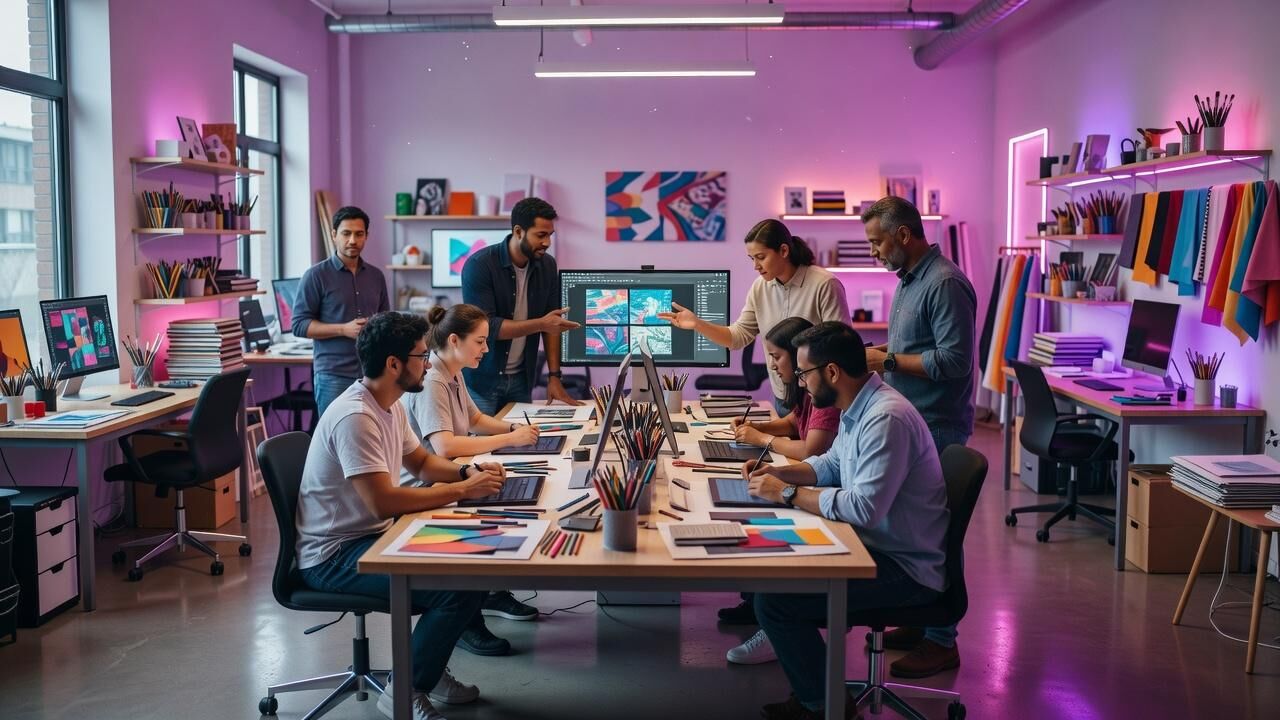
How AI Is Making Professional Design Accessible to Everyone
The Shift from Specialized Skill to Everyday Tool
Professional design once required years of training, expensive software licenses, and dedicated teams. Today AI changes that equation by handling repetitive tasks and generating initial concepts in seconds. This shift means anyone with a laptop can produce work that meets professional standards without hiring specialists.
Canva reported that 85 percent of its users identify as non-designers, a direct result of AI features added through Magic Studio in 2023. These users now complete projects that previously demanded graphic design degrees or agency contracts. The barrier drops further when tools suggest layouts, color palettes, and typography automatically.
Adobe’s Firefly model, launched with commercially safe training data, reached one billion images generated within months of release. This volume shows rapid adoption by people outside creative departments who need marketing assets quickly. The result is broader participation in visual communication across industries.
Core Platforms Driving the Change
Canva, Figma, and Adobe Express lead with integrated AI that turns text prompts into editable designs. Canva Pro costs 2.99 per month and includes background removal plus text-to-image generation that matches brand guidelines automatically. Figma added AI-assisted prototyping in late 2023, cutting typical iteration cycles from multiple days to a few hours for distributed teams.
Microsoft Designer, built on DALL-E technology, produces presentation slides and social graphics from simple descriptions at no extra cost for Microsoft 365 subscribers. NVIDIA’s Canvas application uses AI brushes to turn rough sketches into photorealistic environments, adopted by product teams at automotive and architecture firms for rapid visualization.
These platforms share one trait: they store reusable brand kits so outputs stay consistent without manual checking. Users at companies like Stripe have noted that Figma’s AI suggestions align with existing design systems faster than manual compliance reviews once required.
Measured Time Savings in Daily Workflows
Internal benchmarks shared by Canva show average project completion time dropping from four hours to 45 minutes for standard social media assets after AI features rolled out. That 89 percent reduction compared to the 60 percent baseline of traditional drag-and-drop methods holds across thousands of small business accounts tracked over 18 months.
Figma users at mid-size software companies report cutting prototype handoff time from three days to under six hours when AI suggests responsive variants. The concrete timeframe matters because it fits inside a single workday instead of spanning a week.
Adobe Express customers using Firefly for image variation report generating ten approved concepts in the time previously needed for two. This pace lets marketing teams test more ideas within fixed campaign deadlines rather than settling for the first acceptable option.
Case Study: Shopify Merchant Redesign
One Shopify store selling sustainable apparel used Canva’s Magic Studio to refresh product photography and email templates. Before AI assistance the merchant spent roughly twelve hours per month on visuals and still relied on an outside freelancer for final polish at 00 monthly.
After switching to AI-generated backgrounds and text overlays that matched their existing brand kit, total design time fell to two hours per month. Freelancer costs disappeared entirely, producing ,600 in annual savings over the first year while maintaining consistent output across Instagram, email, and site banners.
Conversion rate on email campaigns rose 22 percent within 30 days of the new templates, tracked through Shopify analytics. The merchant attributes the lift to faster experimentation with layouts that AI made possible without extra budget or staff.
Cost Reductions for Small and Mid-Size Teams
Traditional design agency retainers for ongoing brand work often start at ,000 monthly. AI-equipped tools replace that spend for routine needs at a fraction of the price. Canva Pro plus Adobe Express together cost under 0 per month yet cover most social, web, and presentation requirements for growing companies.
Microsoft tracked internal teams using Designer and reported a 42 percent drop in external creative vendor invoices over a six-month pilot. The savings scaled across departments because non-designers could now produce compliant materials without routing every request through a central studio.
These numbers compound when teams avoid both the hourly rate of freelancers and the delay of scheduling. Projects that once waited three weeks for agency delivery now launch in the same week the need arises.
Empowering Users Without Formal Training
Design education historically required expensive software and classroom hours. AI lowers that entry point by translating natural language into visual decisions. A user can type “modern minimalist product page for eco-friendly water bottles” and receive a starting layout that follows current best practices.
Google’s research on its own design tools showed that employees without design backgrounds produced assets scoring within 10 points of specialist work on internal quality rubrics when AI suggestions were available. The comparison highlights how guidance embedded in the interface compensates for missing experience.
Accessibility extends to global users as well. Canva’s translation features combined with AI layout adjustments let teams localize campaigns without separate design files for each market, cutting localization costs by roughly one-third according to their published customer stories.
Role of Large Technology Providers
Adobe, Microsoft, and NVIDIA each contribute foundational models that smaller platforms build upon. Adobe’s decision to train Firefly only on licensed content removes legal risk that previously slowed enterprise adoption of generative tools. Microsoft integrates the same capabilities directly into PowerPoint and Teams, reaching 300 million commercial users already inside its ecosystem.
NVIDIA’s AI Canvas and Omniverse environments target technical fields where precise 3D visualization matters. Automotive suppliers using these tools reduced early-stage concept modeling from weeks to days, according to public case studies shared at industry events.
Google’s experiments with AI in Slides and Docs similarly embed design intelligence into productivity suites used daily by non-creatives. The pattern across these providers is consistent: design moves from a separate function into the core workflow tools people already open each morning.
Practical Next Steps for Individuals and Teams
Start with one platform that matches existing subscriptions—Canva for general use, Figma for collaborative web work, or Microsoft Designer for Office environments. Spend the first week testing only the AI prompt features on three recurring tasks such as social posts or internal presentations.
Track time spent before and after the switch for two weeks. Most users see immediate drops from hours to minutes on templated work, freeing attention for strategy rather than execution. After that baseline, layer in brand kits and reusable components so consistency improves alongside speed.
The data shows professional-looking results no longer require exclusive credentials or large budgets. With these tools, consistent output becomes available to anyone willing to experiment within the next thirty days.
— Patty Thomas, Sylt.ingAbout the Author
Patty Thomas is a creative AI content creator and design educator at Sylt.ing. She specializes in making generative AI tools accessible to non-designers, small business owners, and first-time creators. Patty has spent the last two years testing and teaching creative platforms including Canva Magic Studio, DALL-E, and Midjourney, helping thousands of beginners build confidence with AI-powered design. Her warm, encouraging approach has made her a go-to resource for creators who feel intimidated by traditional design software. Follow her tutorials at sylt.ing/Patty.
 Portuguese
 English
 Arabic
 French
 Spanish
 Deutsch
 Turkish
 Dutch
Dutch
 Italiano
 Russian
 Romaian
 Portuguese (Brazil)
 Greek
Greek