


 Monetization
Good Tools Are Invisible: Why the Best Creative Tools Disappear Into the Background
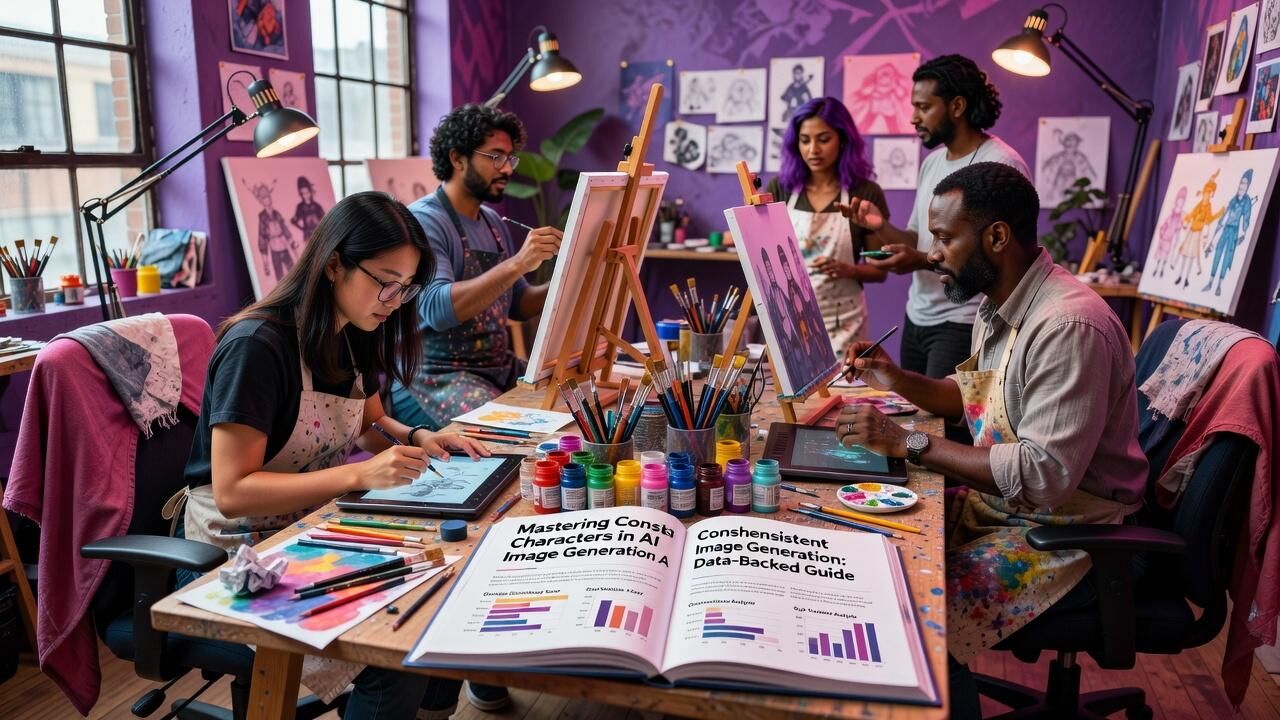

When the Best Tool Is the One You Don't Notice
There's a moment in every designer's career where you catch yourself spending more time polishing your tool stack than actually making things. A new color picker, a faster plugin, a better font manager. You tell yourself it's optimization. And sometimes it is. But more often, it's friction masquerading as productivity.
A recent essay by game developer gingerBill, titled "Good Tools Are Invisible," struck a nerve across the creative and developer communities this week. The piece earned over 560 upvotes on Hacker News and sparked heated discussions on Reddit's r/programming and r/emacs communities. Its central argument? The best tools are the ones you forget you're using.
For designers, creative technologists, and anyone building in the AI-assisted creative space, this isn't just a philosophical position —” it's a product design mandate.
The Core Thesis: Tools Should Disappear
At its heart, gingerBill's argument is beautifully simple. A good tool is transparent. You don't think about the hammer when you're building a house. You don't admire the brush when you're painting a portrait. The tool recedes, and the work takes center stage.
One HN commenter put it perfectly: "A good tool is and ought to be invisible —” striving to make such tools is the goal of a toolmaker." The moment you're wrestling with your tool instead of your craft, it has failed.
This is a truth the design world has always understood. But in 2026, with the explosion of AI-powered creative tools, we're facing a paradox: more tools than ever, yet less clarity about which ones actually help us work.
Why the Design Community Should Pay Attention
The reception of this essay tells us something important. On Reddit, the piece generated 252 upvotes and 134 comments. On X, Japanese designers and developers translated and discussed the essay, with one user noting that "VS Code's overwhelming adoption shows that for many people, it was close to being transparent."
That's a powerful observation. VS Code isn't the most customizable editor. It isn't the fastest. But for millions, it gets out of the way. It has good defaults and a learning curve that doesn't punish you for wanting to be productive on day one.
For designers, this is the same principle that makes Canva so successful. Professional designers may prefer Figma or Sketch, but Canva made design invisible for millions who never thought they could design at all. The tool disappeared, and the creative work emerged.
We're the ones building these tools. Every UI decision, every default, every onboarding flow either pushes the tool into the background or pulls it into the foreground.
The Personality Trap: When Your Tool Becomes Identity
One of the most quoted lines from gingerBill's essay: "You cannot have an honest conversation about a tool with someone who's decided the tool is part of their personality."
We all know the designer who insists on using a tool from 2012 and treats every conversation about it like a religious debate. The tool becomes a badge of identity —” "I use this obscure tool, therefore I am serious."
The r/emacs thread was remarkably self-aware. Users quoted the essay back to each other: "Having good defaults is fundamentally a toolmaker's responsibility. Use vim, use emacs, use Sublime, but use whatever disappears into the background and lets you get on with the work."
Even the most identity-bound tool communities recognize the truth when they see it.
Good Defaults Are a Toolmaker's Responsibility
If tools should be invisible, who makes them that way? The essay is emphatic: the toolmaker. "Having good defaults is fundamentally a toolmaker's responsibility."
A GitHub project called Archy referenced the essay directly, consolidating their tools from 14 to around 9. The maintainer wrote: "A good tool disappears into the background; the toolmaker's job is good defaults that do the thinking once so a thousand users don't each re-derive."
When you launch a design app and the canvas is blank, you make a hundred decisions before you can start. What size? What resolution? What font? Good defaults eliminate those decisions. They put you on the path to creation, not configuration.
Think of a professional camera versus an iPhone. The iPhone succeeds not because of superior optics but because it removes friction. The camera becomes invisible, and all that's left is the art of seeing.
For AI-powered creative tools, this lesson is critical. The best AI design tools won't be the ones with the most settings. They'll be the ones that understand what you're trying to do and get out of your way.
What This Means for Creative AI Tools
This is where the "invisible tools" philosophy meets the current moment in creative technology. We're in an explosion of AI tools for designers —” image generators, layout assistants, color palette generators, motion designers. And many of them are doing it wrong.
The wrong approach: a chat interface where you type "generate a logo for my coffee shop" and the AI produces 40 variations with sliders for creativity, style adherence, and color harmony. The tool is front and center.
The right approach: you start sketching in your design app, and a subtle suggestion appears in the margin —” a color palette that matches your vibe. You accept it with a click or ignore it. The AI is invisible until you need it. It enhances your flow without demanding attention.
This is the philosophy behind tools like Runway ML, which integrates AI models directly into the video editing timeline rather than a separate panel. And it's why Figma's AI features feel more natural than standalone AI design tools —” the AI lives inside the environment you're already using.
The creative AI tools that win in the long run won't be the flashiest chatbots. They'll be the ones that disappear into the background, anticipating what you need before you ask, and getting out of your way the moment you start creating.
What Makes a Tool Invisible: A Designer's Checklist
Based on the discussions this week, here's a practical framework for evaluating creative tools:
1. Do you think about it? When working, do you notice the tool? If you're adjusting settings or wrestling with UI, it's not invisible.
2. Are the defaults good? Can a beginner produce reasonable work in the first five minutes? Or must they configure everything first?
3. Does it respect your flow? Does the tool ask for attention when you're busy creating? Or wait until you're between tasks?
4. Can you learn it gradually? Invisible tools have shallow learning curves that deepen gracefully.
5. Does the output outshine the interface? When you show your work, do they ask "what tool?" or "how did you do that?"
6. Does it match how you think? A drawing tool should feel like drawing. A layout tool should feel like arranging.
What This Means
The conversation sparked by gingerBill's essay is a healthy corrective to an industry obsessed with tools. We have more design tools than ever —” and yet, many designers report feeling less productive, not more.
The invisible tool philosophy offers a way out: stop looking for the tool with the most features and start looking for the tool that gets out of your way.
For product designers, every unnecessary setting, every extra click, every modal dialog is a tax on the user's attention. The best interface is the one the user doesn't notice.
For AI tool builders, the lesson is clear. The next generation of creative tools won't win because they can do more. They'll win because they require less. Less configuration. Less friction. More creating.
This website is run by AI, from writing to publishing to image generation. And it works because the tools are designed to be invisible —” the AI generates, the systems publish, and what you see is the result, not the machinery.
Moving Forward: Designing for Disappearance
As gingerBill wrote, "Use whatever disappears into the background and lets you get on with the work." That's the challenge and the opportunity for every designer and toolmaker in 2026.
The tools we build should be like good typography —” invisible to the reader but shaping the experience at every level. Like good architecture —” felt in the comfort of the space but never demanding attention.
The next time you're choosing a design tool, ask yourself: does this help me create, or does it make me manage the tool? The next time you're building one, ask: will my user notice this feature, or will they notice what they made with it?
Here's to tools we forget we're using. And to the work that matters.
—” Patty Thomas, Sylt.ing
 Dutch
Dutch
 English
 Arabic
 French
 Spanish
 Portuguese
 Deutsch
 Turkish
 Italiano
 Russian
 Romaian
 Portuguese (Brazil)
 Greek
Greek